
Case Study · Senior Living Facility Management
A dedicated operations platform built for Zealver's assisted-living communities — covering occupancy, resident care, billing, staff and family-facing activities in one connected system.
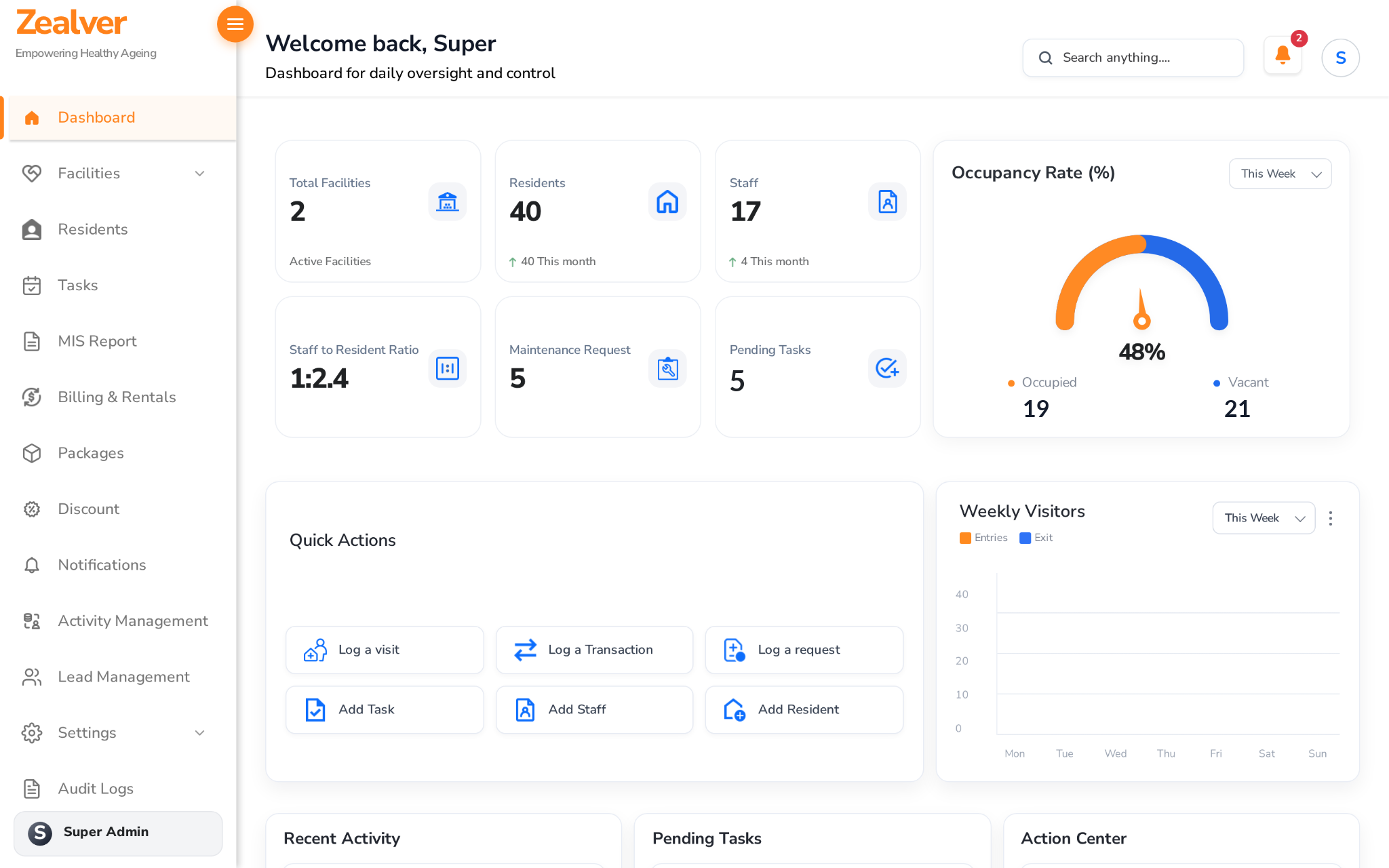
Zealver Senior Living – Platform Screens
Browse the gallery images added for this project.
What Does Senior Living Facility Software Need to Do?
Assisted-living operators juggle a lot at once: which beds are free, which residents need closer attention today, whether a family's rent is paid, and whether the week's activities actually happened. Most of this still lives in registers, spreadsheets and phone calls, which makes it hard for an owner or manager to get a straight answer in the moment.
Zealver was built to put all of it in one place: facilities, buildings and floors, residents and their care status, billing and rentals, staff tasks, wellness activities and incoming enquiries, all accessible from a single role-based dashboard.
How Does One Dashboard Manage Multiple Facilities?
Each facility is broken down into buildings, floors and rooms, so a manager can see exactly which beds are occupied and which are vacant at a glance. Every resident record carries their care status, emergency flag and billing history together, so staff are not cross-checking three different places to answer a family's question.
Multi-Facility Operations
Multiple assisted-living facilities run from the same account, each with its own buildings, floors, rooms and manager, while leadership still sees everything from one dashboard.
Live Occupancy Tracking
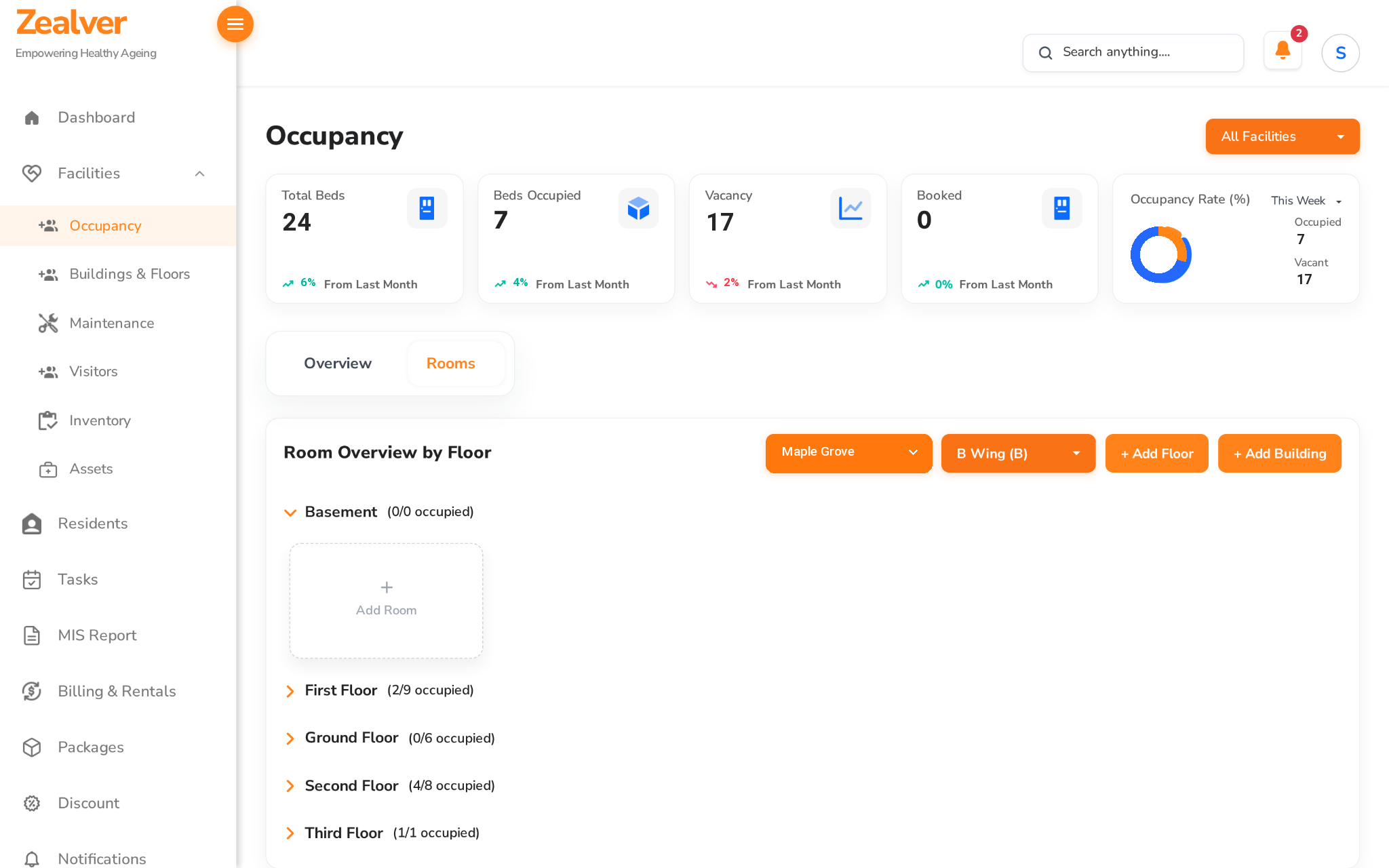
A room-by-room occupancy view, broken down by building and floor, shows exactly which beds are free and which are booked, with an at-a-glance occupancy-rate gauge for the whole facility.
The platform is in active use managing real assisted-living facilities and their residents.
From Registers to One Connected System
Before Zealver, occupancy, billing and resident care status were tracked separately, often on paper. Here is what changed.
| Area | Before Zealver | After Zealver |
|---|---|---|
| Occupancy | Bed availability was tracked manually, so double-booking and guesswork were common. | A live occupancy dashboard shows occupied and vacant beds by building and floor in real time. |
| Resident Care | Emergency or high-risk residents were flagged informally, if at all. | Every resident carries a clear status and emergency flag, visible to staff the moment they open the record. |
| Billing & Rentals | Rent, packages and renewal dates were tracked by hand, so overdue payments were easy to miss. | Subscriptions, wallets and billing cycles are tracked per resident, with overdue payments flagged automatically. |
| Activities & Engagement | Attendance at wellness activities was noted on paper, if at all. | Activities are scheduled, attendance and participation are logged, and engagement is reported per resident. |
Not Just Occupancy: Every Part of Running a Facility
Facilities, residents, billing, staff and family engagement, all connected in one platform.
Facilities & Occupancy
Multi-Facility Dashboard
Total facilities, rooms, open maintenance requests and visitor counts, all summarised on one screen.
Buildings, Floors & Rooms
Organise every facility into buildings and floors, and manage rooms and beds at that level of detail.
Occupancy & Vacancy Tracking
A live occupancy-rate gauge and a room-by-room breakdown show exactly what's occupied, vacant or booked.
Maintenance & Visitor Logs
Track open maintenance requests and log visitor entries and exits for every facility.
Residents & Care
Resident Profiles
Name, contact, age/gender, facility, floor/room/bed and status, all in one searchable record.
Emergency & Risk Flags
High-risk and emergency-alerted residents are flagged clearly, so staff can prioritise at a glance.
Bulk Resident Onboarding
Add residents individually or in bulk when onboarding a new facility.
Billing, Tasks & Activities
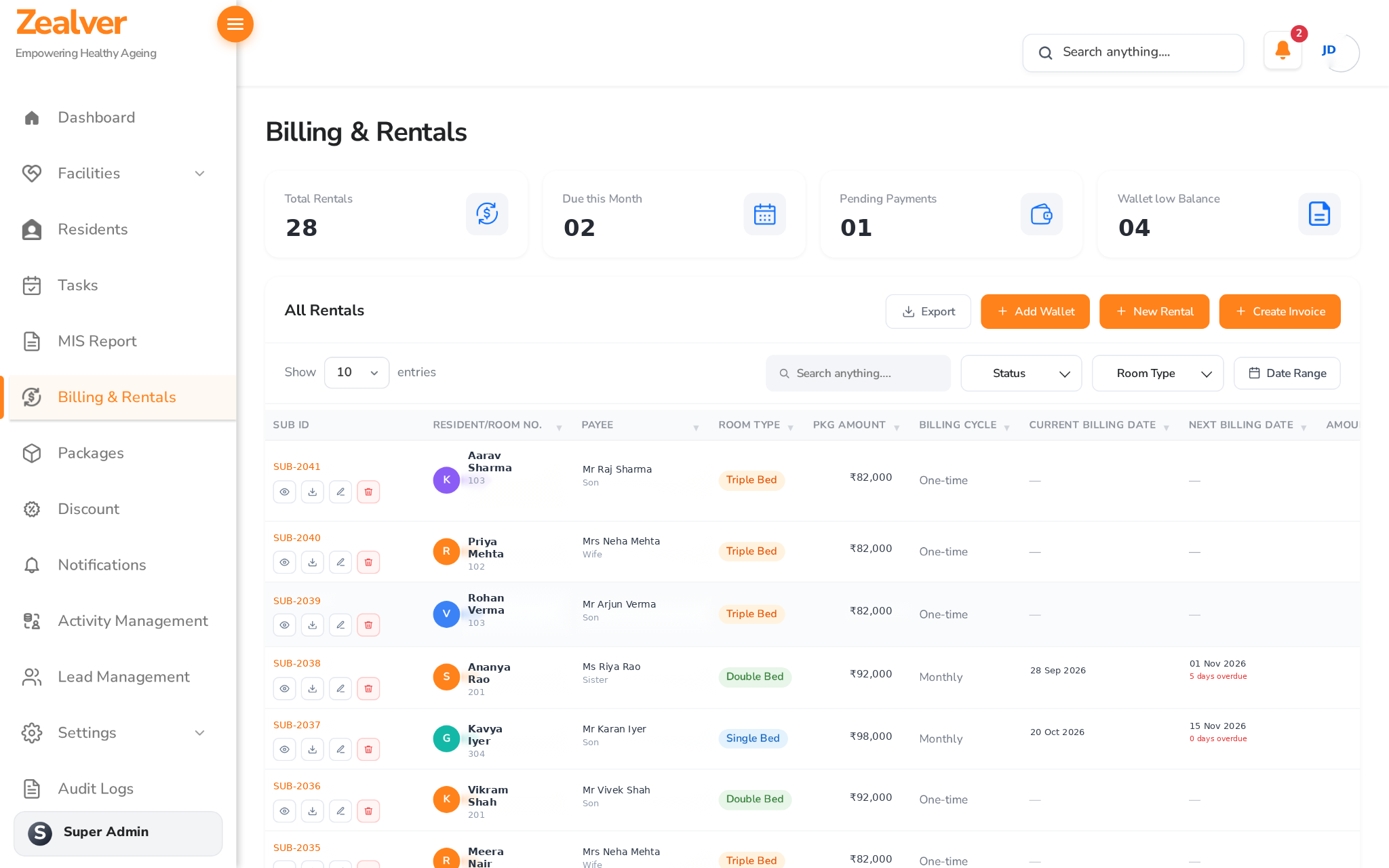
Billing & Rentals
Track subscriptions, wallets, one-time and monthly packages, with overdue payments flagged automatically.
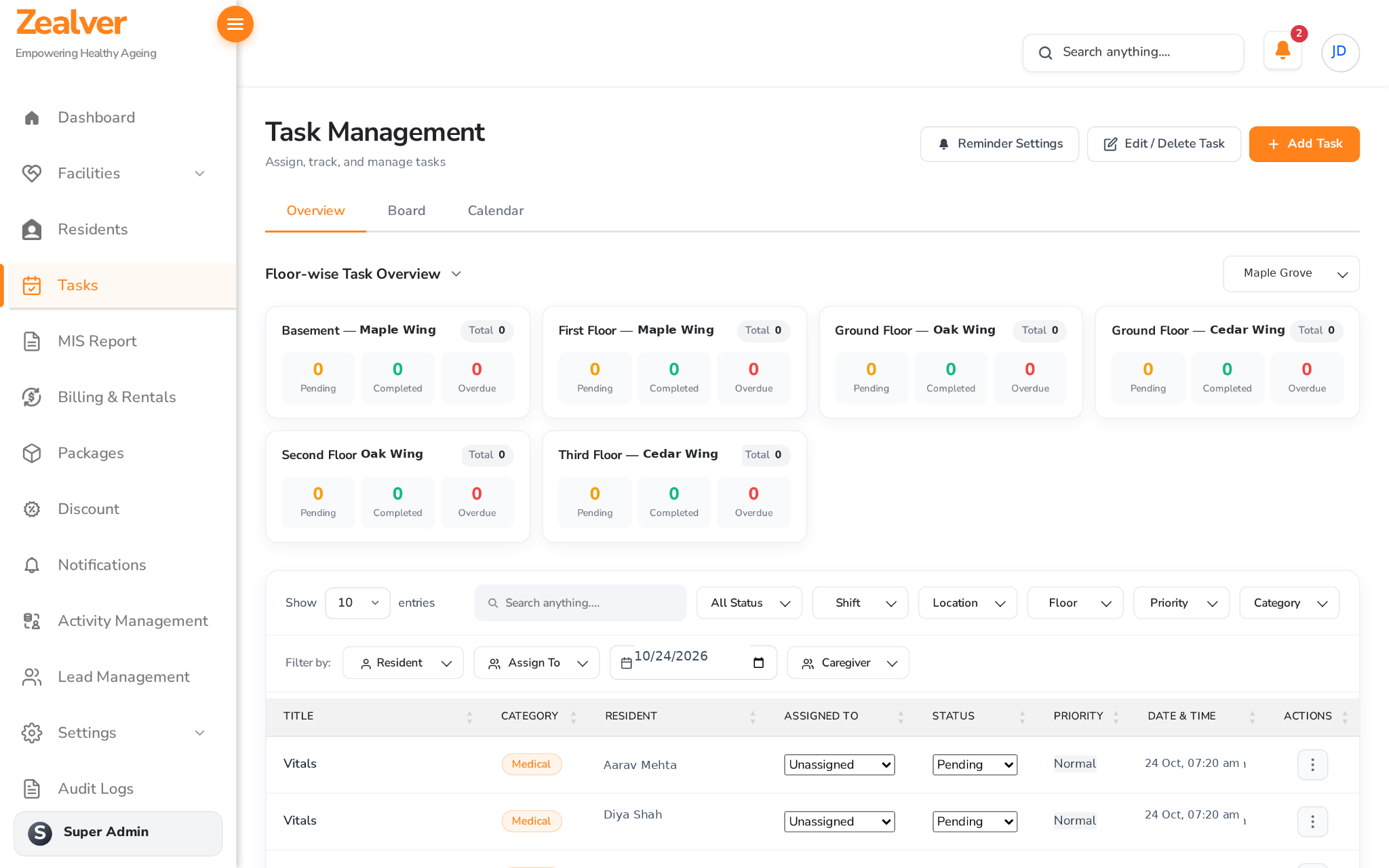
Floor-Wise Task Management
Assign and track pending, completed and overdue tasks by floor, shift, priority and caregiver.
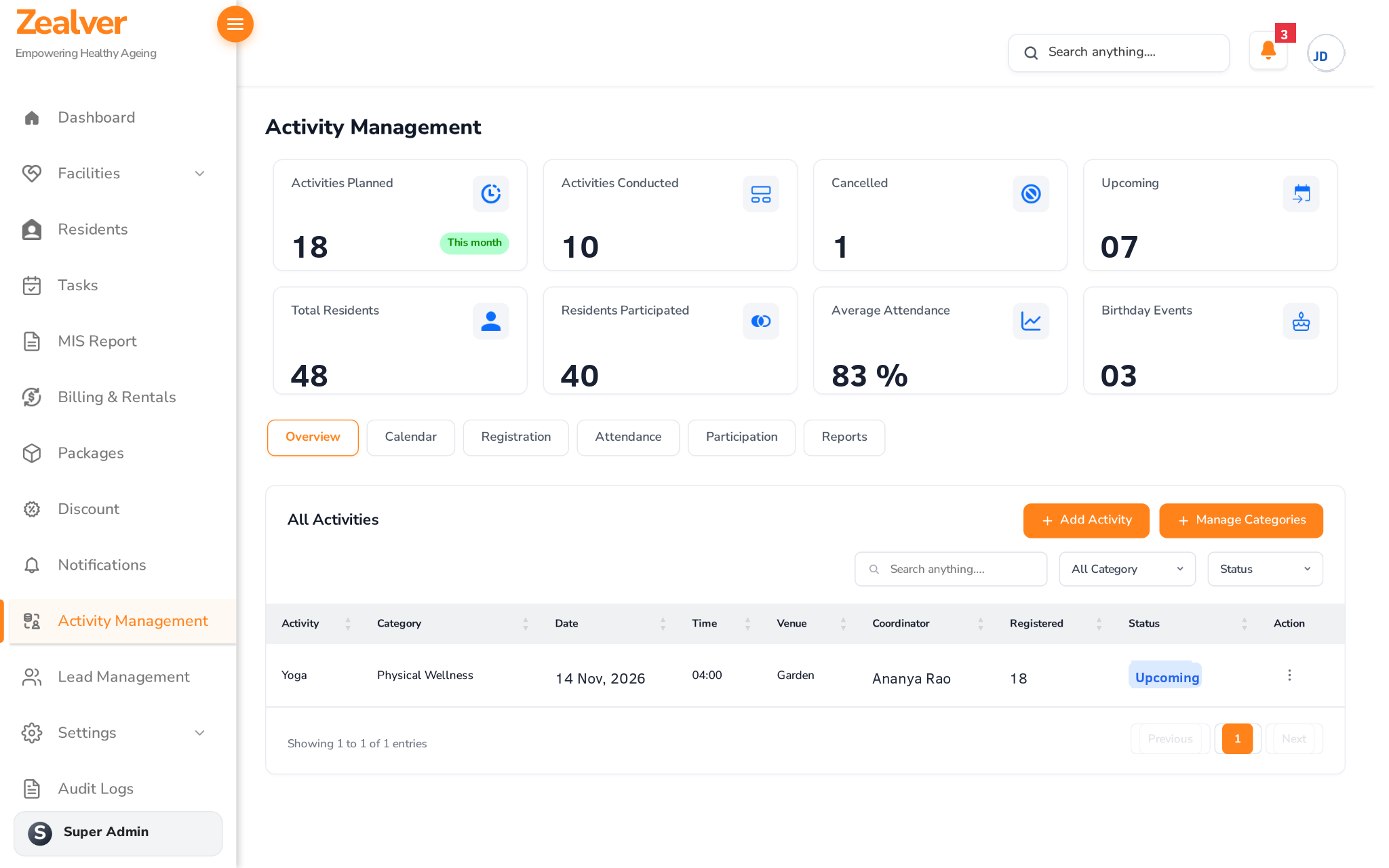
Activity Management
Plan wellness activities, track attendance and participation, and report on engagement per resident.
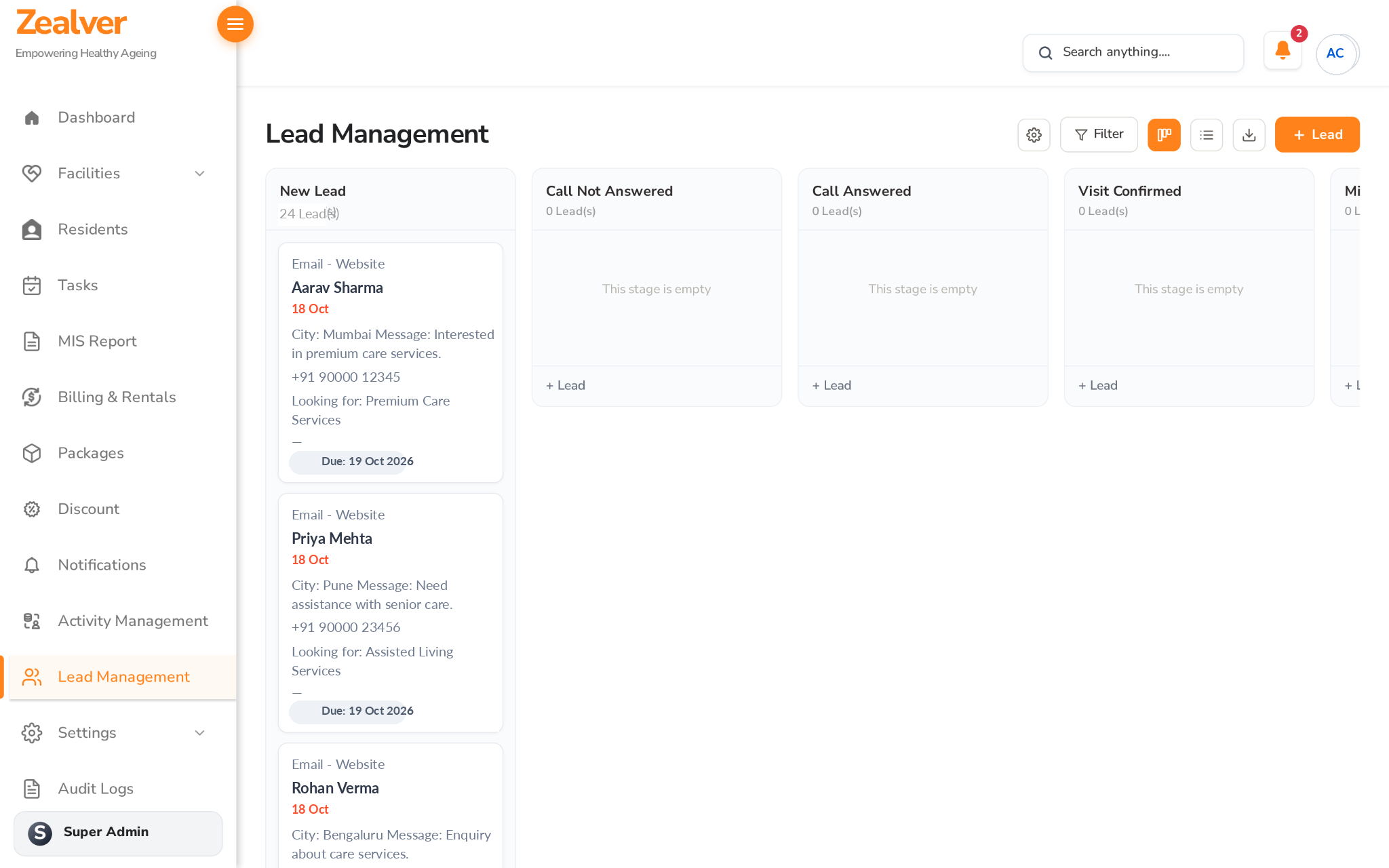
Lead Management
A pipeline for new enquiries, from first contact through call status to confirmed visits and admissions.
Access & Oversight
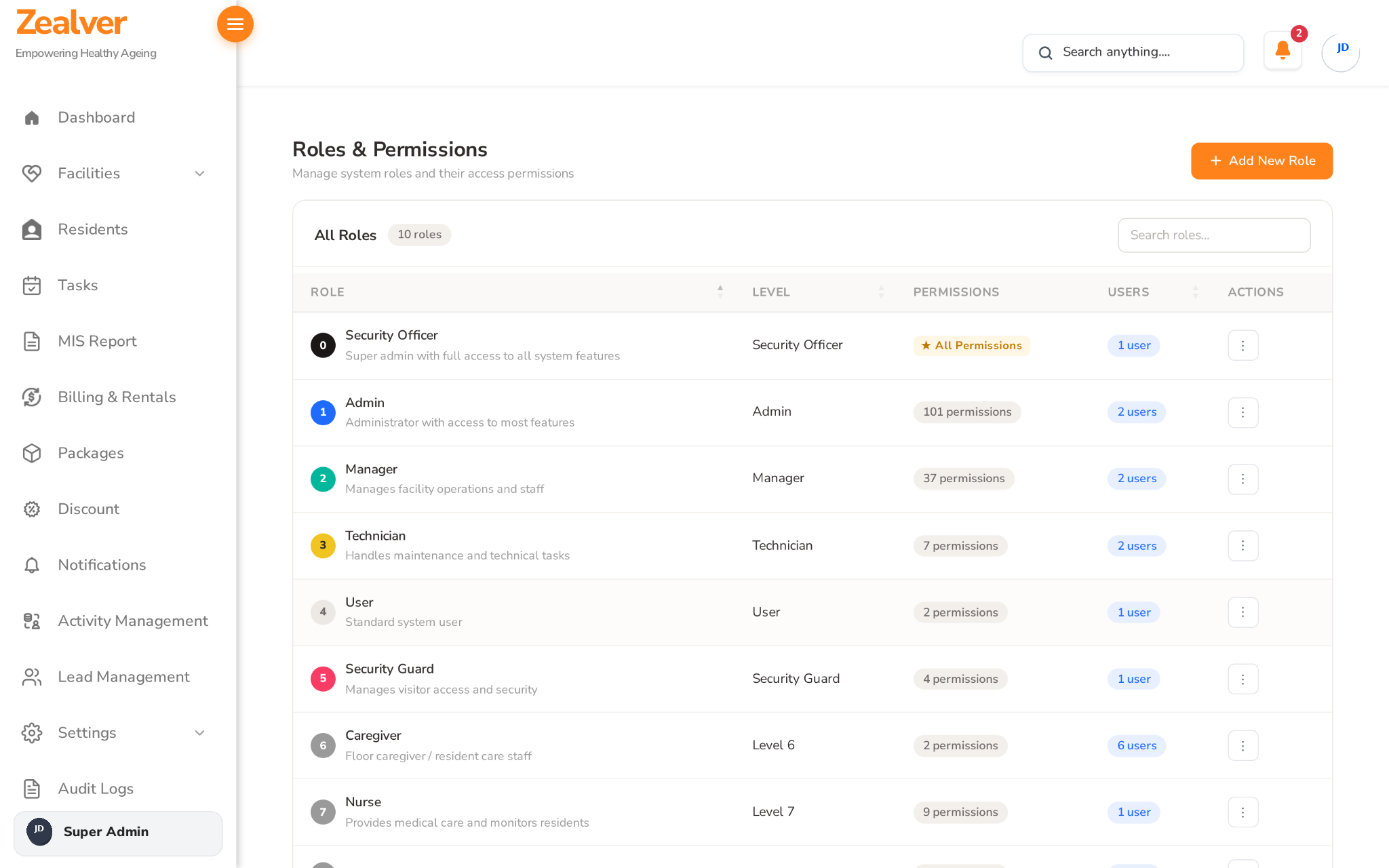
10 Configurable Roles
From Security Officer down to Caregiver and User, each role has its own permission set, visible and editable from one screen.
MIS Reports & Audit Logs
Management reports and a full audit trail give leadership visibility into what's happening across every facility.
Ready to see it live?
Run Every Facility From One Dashboard
See occupancy, residents, billing and daily operations in a free, no-obligation walkthrough.
The Challenge vs. Our Engineered Solution
What senior-living operators struggle with, and how Zealver solves it.
The Challenge
Scattered registers, manual tracking, slow answersOur Engineered Solution
One connected, role-based platformSecure, Role-Based Access Across Every Facility
Every facility, resident and billing record sits behind role-based access, so staff only see what their role allows, and every action is traceable.
10 Configurable Roles
From Security Officer (full access) down to Caregiver, Nurse and standard User, each with its own permission set.
Audit Logs
A dedicated audit log tracks actions across the platform for accountability and review.
Multi-Facility Structure
Facilities, buildings, floors, rooms and beds are modelled as a clear hierarchy, so the platform scales to many locations.
MIS Reporting
Management-level reports roll up occupancy, billing and activity data for leadership review.
Web-Based Dashboard
A responsive web dashboard accessible to admins, managers and care staff without any software to install.
Core Modules
Facilities
Occupancy, Buildings & Floors, Maintenance, Visitors, Inventory, Assets
Residents
Profiles, Contracts, Feedback, Emergency Status
Billing
Rentals, Wallets, Packages, Discounts
Operations
Tasks, MIS Reports, Audit Logs
Engagement
Activity Management, Lead Management
Access
Role-Based Permissions, Notifications
Use It Ready-Made, Tailor It, or Build Your Own
Start where it makes sense for your facility.
1. Ready-Made Platform
Monthly or Yearly Plan
Use the platform as it is, hosted and supported by our team, on a plan that includes customisation hours every month.
Best for: Facilities that want to start fast
Book a Free Demo2. Ready-Made, Tailored to You
Customised Plan
We adapt the platform to your facility's workflows: custom fields, reports, approval steps and integrations.
Best for: Operators with their own way of working
Book a Free Demo3. Fully Custom Build
Custom Build
Need something this platform does not cover? Our team designs and builds custom facility-management systems around your exact processes.
Best for: Complex or multi-location operations
Explore Our ServicesExplore More
Let's talk
See Zealver in Action: Book Your Free Demo
In a free, no-obligation demo, we will walk you through occupancy, residents, billing, tasks and activities, and show how the platform fits the way your facility works.
Free and no obligation.
Zealver Senior Living – Frequently Asked Questions
What is Senior Living?
Senior Living is a operations platform that brings facility management, resident records, billing and family-facing activities into one secure, role-based dashboard for assisted-living communities
Can Senior Living manage more than one facility?
Yes. Senior Living is built for multi-facility operators — each facility has its own buildings, floors, rooms and manager, while leadership sees occupancy, residents and billing across every facility from one dashboard
How does Senior Living track room and bed occupancy?
Every facility is broken down into buildings, floors and rooms. A live occupancy-rate gauge and a room-by-room breakdown show exactly which beds are occupied, vacant or booked, in real time
How does Senior Living handle resident emergencies or high-risk cases?
Every resident record carries a status and an emergency flag, visible to authorised staff the moment they open the profile, so care teams can prioritise at a glance instead of relying on memory or verbal handovers
Related portfolio projects

Medicine
This project is designed to provide a comprehensive platform for medical professionals and patients....
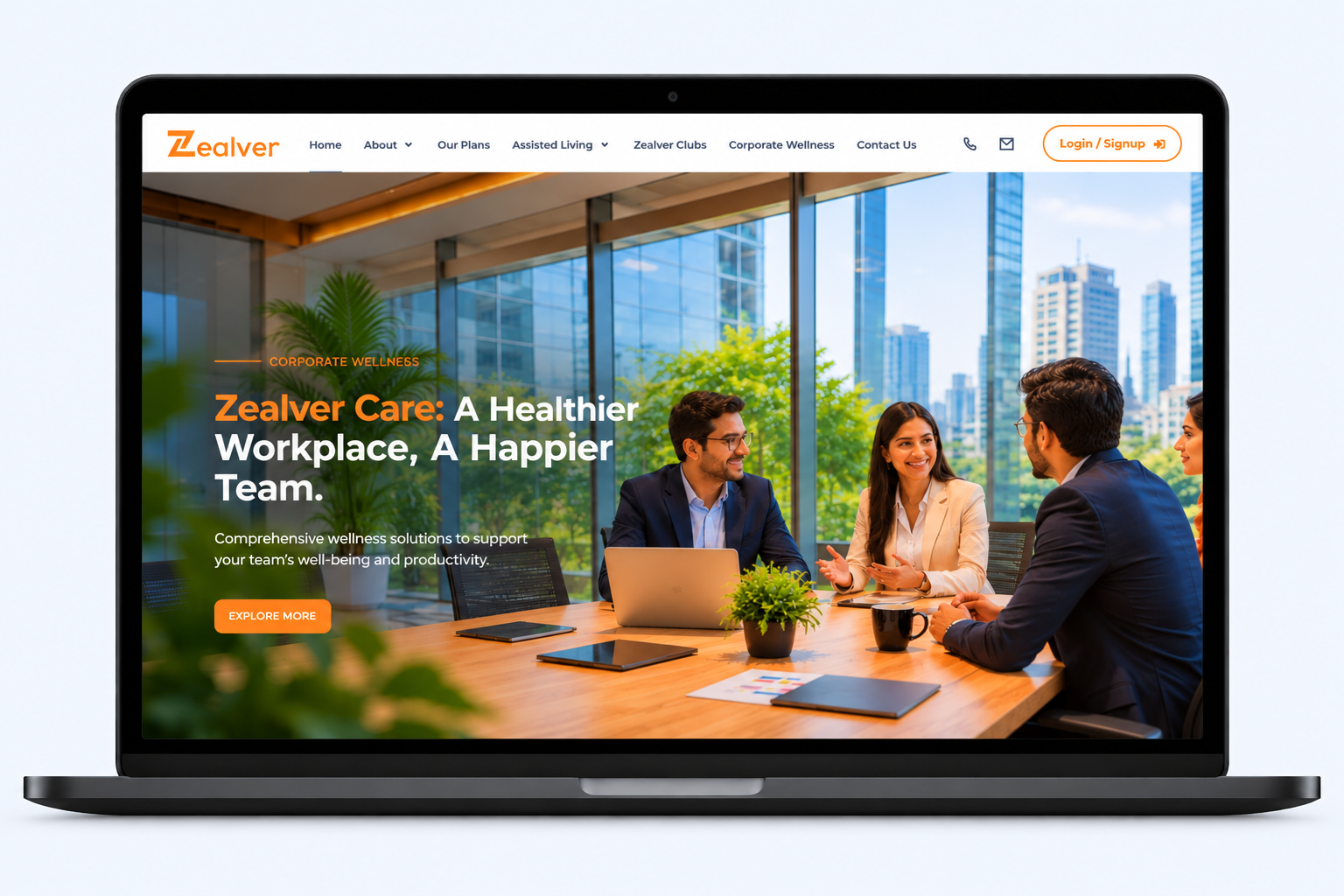
Zealver Life
Case Study · Senior Care Platform Website A full senior-care platform...
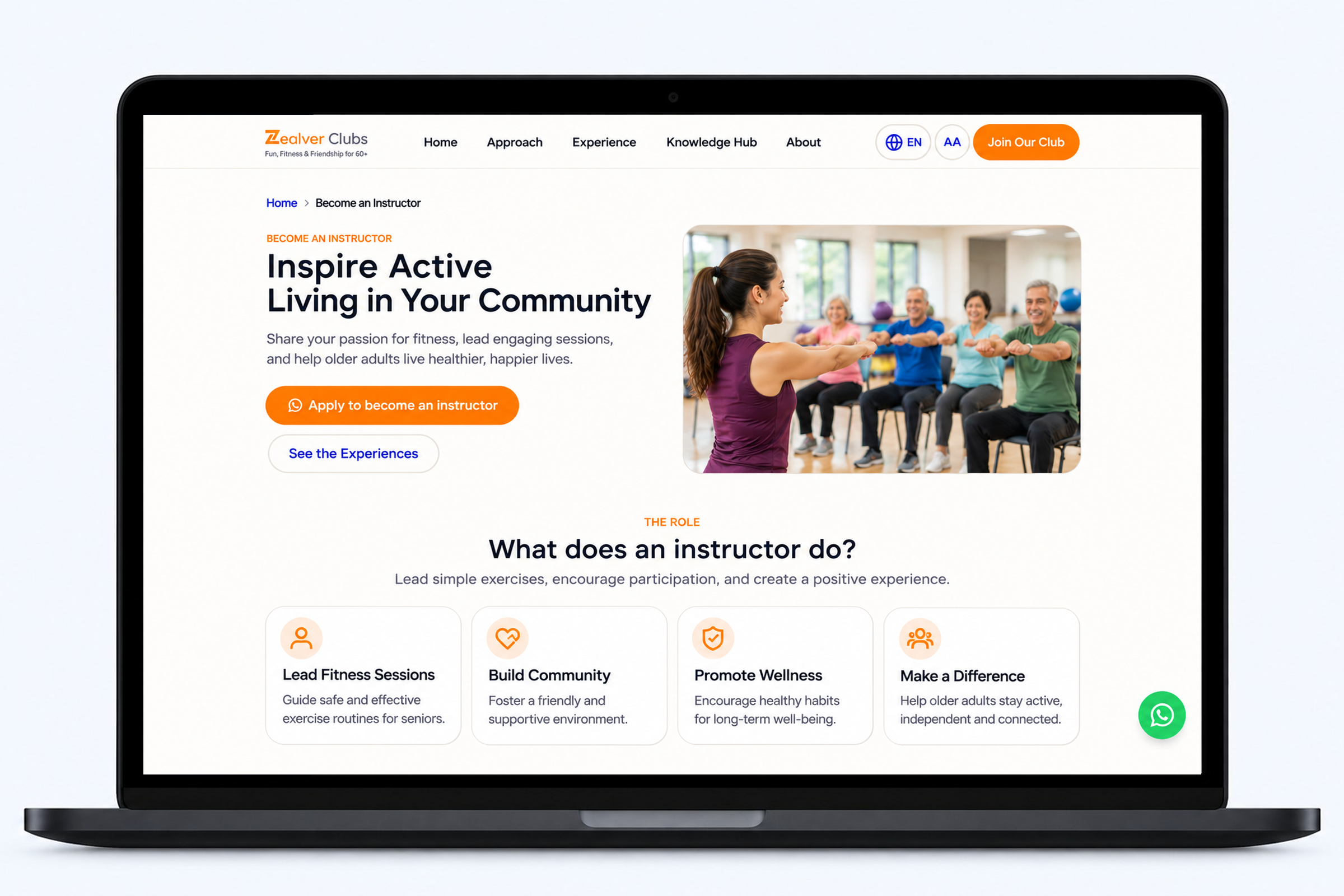
Zealver Clubs
Case Study · Community & Wellness Website A community website for...